
When first design load it's looks as a simple design wall but Blocks explode when it’s clicked or touched, mainly using CSS and jquery and thought that was really cool. This is a awesome example of J query and JavaScript. Codes and design absolutely free and you can check and download from below:
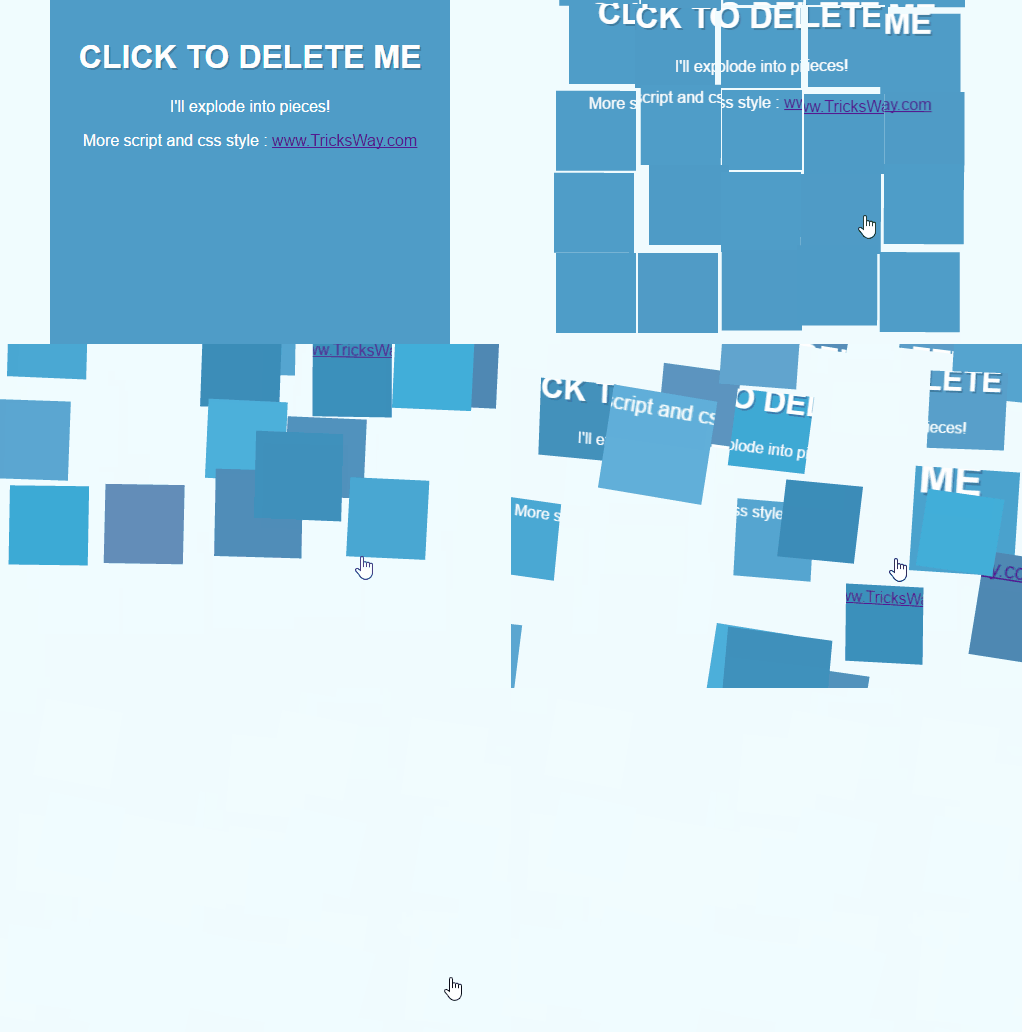
How to Use Blocks Expending Effect Codes:
For Website: Started with your div. It was just a regular old blue div with some content in it. and added some basic text styles too.
<div class="clipped-box">
 <div class="content">
 <h1>CLICK TO DELETE ME</h1>
 <p>I'll explode into pieces!</p>
 </div>
</div>
For Blog: If you are running a blog and want to use this code on side bar or some special places just copy and paste via Html/Css :
<link rel="stylesheet" href="https://raw.githubusercontent.com/himstar/Blocks-Expending-Effect/gh-pages/style.css"/>
<script type="text/javascript">try{Typekit.load();}catch(e){}</script>
<script src="https://raw.githubusercontent.com/himstar/Blocks-Expending-Effect/gh-pages/jquery.js"></script>
<script src="https://raw.githubusercontent.com/himstar/Blocks-Expending-Effect/gh-pages/javascript.js"></script>
<div class="clipped-box">
 <div class="content">
 <h1>CLICK TO DELETE ME</h1>
 <p>I'll explode into pieces!</p>
 </div>
</div>
Note: You can freely use script and hosted on TricksWay server. It's free and always uptime. Feel free to ask anything via comments.




 About UsFind out working team
 AdverisementBoost your business at
 Need Help?Just send us a
 We are SocialTake us near to you,

One comment: On Blocks Expending Effect Using Css and Jquery For Website and Blog
Great post. I was checking constantly this blog and I am impressed!
Extremely helpful information particularly the last part :
) I care for such information much. I was looking for this particular
info for a long time. Thank you and best of luck.