Hello friends, today I’m excited to share a very useful Blogger tutorial with you. In this article, you will learn how to convert a Blogger template into a stylish Bootstrap responsive contact form. This method is simple, beginner-friendly, and does not require advanced coding knowledge.
A contact form is one of the most important parts of any website or blog because it allows visitors, clients, and readers to contact you directly. Instead of using a traditional Blogger layout, you can create a clean and professional-looking contact page with a responsive design.
Before starting the tutorial, you can first check the demo and see how the contact form looks on desktop and mobile devices.
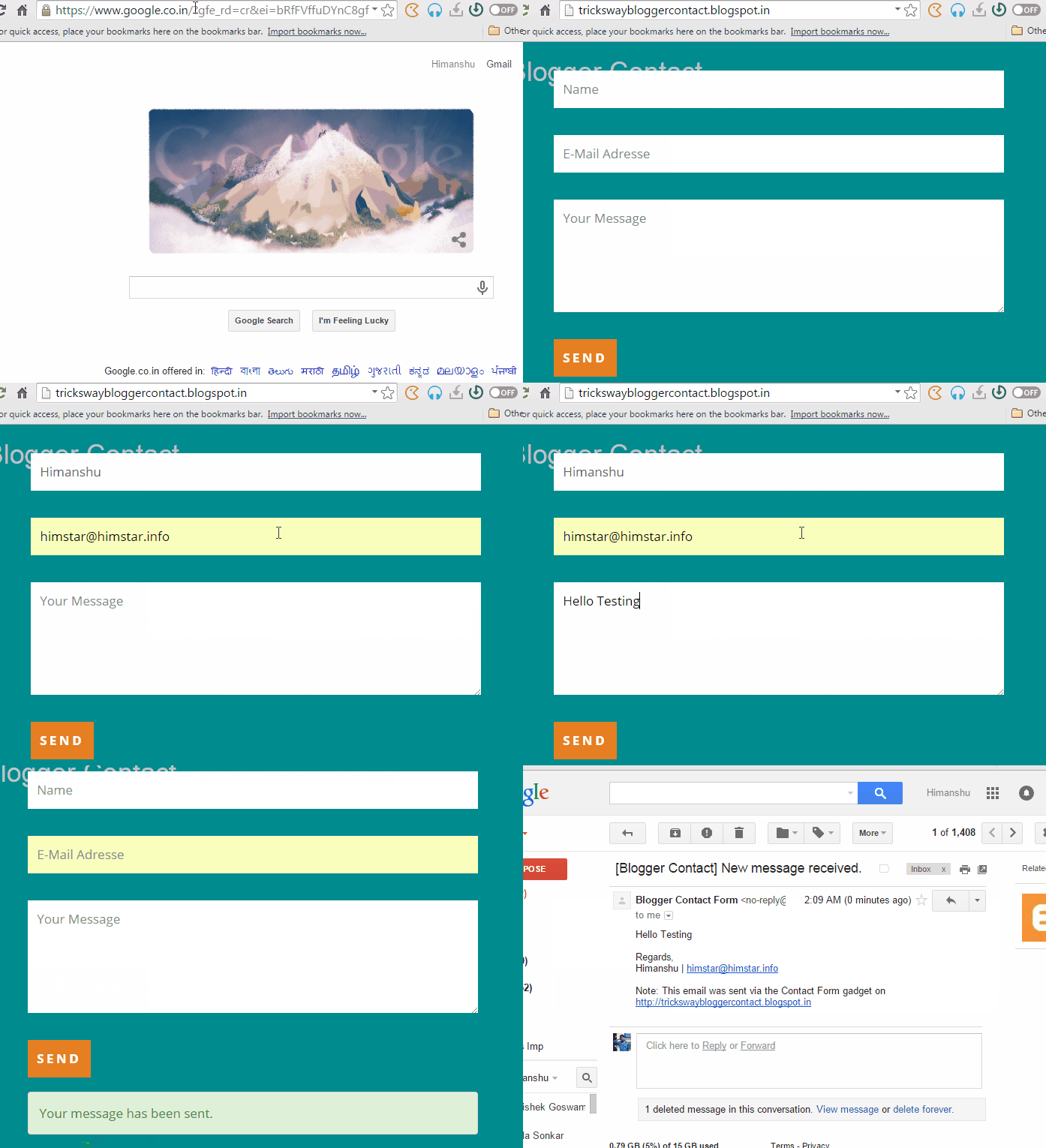
Before talking to much first you should check demo from below link and after that processed for tutorial if you like our demo.
Convert Blogger Template Into Bootstrap Responsive Contact Form
I hope you like demo, let's start tutorial-
Goto Blogger.com and login with your Google account.

After login create a new blog and click on Template.
Next goto Edit HTML , select all code and delete, after that paste below code as it is.
Now visit your blog and smile with charm. It's working.
Benefits Of Converting Blogger Template into Contact Form-
I think first impression is Look and Feel , it's responsive and awesome. Bootstrap responsive blogger contact form.
You can also say- email contact form because Google give auto email sending feature.
No need to host yourself because hosted by Google.
Template fully customized and only clean contact form visible to you.
Hope you like my post. Let me know if you have query or suggestions.


 About UsFind out working team
 AdverisementBoost your business at
 Need Help?Just send us a
 We are SocialTake us near to you,